HP DeskJet 2720e ink cartridges — which cartridge fits, and where is it cheapest?
Prices last checked:
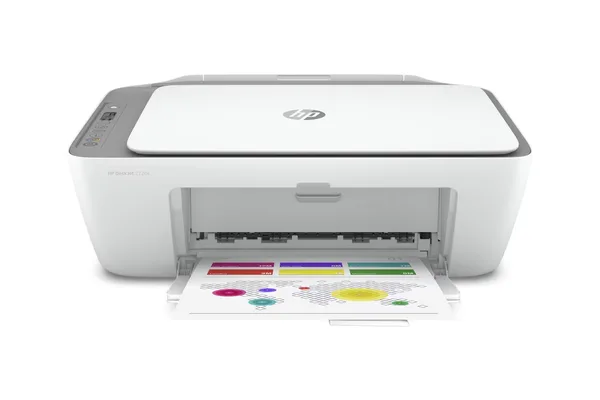
The HP DeskJet 2720e uses HP 305 / 305XL ink cartridges
The cheapest compatible HP 305XL multipack for your printer is currently £38.99 from Cartridge Centre — saving 22% versus the HP direct price.
The HP DeskJet 2720e is a compact wireless all-in-one printer for everyday home printing. It prints, scans, and copies, and is compatible with HP Instant Ink.
Which cartridge fits the HP DeskJet 2720e?
HP 305 / 305XL
OEM code: 6ZA94AE · Black + colour multipack
Prints up to 480 pages (black XL) · Available as standard or XL high-capacity
Compare HP 305XL prices → Compatible from £38.99 Save 22% vs HP direct
Current prices — HP 305 / 305XL
| Retailer | Price | Delivery | Stock | |
|---|---|---|---|---|
| Cartridge Centre CHEAPEST | £38.99 | Free | In stock | Buy → |
| Internet-ink | £38.99 | Free | In stock | Buy → |
| Cartridge People | £39.90 | Free | In stock | Buy → |
| Printerinks | £41.95 | Free | In stock | Buy → |
Prices checked 26 May 2026. See full comparison with delivery totals →
HP DeskJet 2720e — printer specifications
| Cartridge | HP 305 / 305XL |
| Print technology | Thermal inkjet |
| Connectivity | Wi-Fi, USB, Bluetooth |
| Monthly duty cycle | Up to 1,000 pages |
| HP+ | Not applicable — compatible ink works freely |
| Series | DeskJet 2700 |
Frequently asked questions — HP DeskJet 2720e
What ink cartridges does the HP DeskJet 2720e use?
The HP DeskJet 2720e uses HP 305 and HP 305XL ink cartridges. The XL version is recommended for better value per page.
Can I use compatible ink in the HP DeskJet 2720e?
Yes. The HP DeskJet 2720e is not an HP+ printer, which means it accepts compatible HP 305XL cartridges without restriction.
What is the cheapest ink for the HP DeskJet 2720e?
The cheapest option is a compatible HP 305XL multipack. Printholm compares prices weekly across UK retailers — see the HP 305XL comparison page for current prices.
How do I install ink cartridges in the HP DeskJet 2720e?
Open the cartridge access door on the front of the printer and wait for the carriage to move to the centre. Remove the old cartridge by pressing down and pulling forward. Remove the protective tape from the new cartridge and slide it into the correct slot until it clicks. Close the access door.
Why is my HP DeskJet 2720e not recognising my new cartridge?
First check that the protective tape has been fully removed from the cartridge contacts. Remove the cartridge, clean the copper contacts gently with a dry lint-free cloth, and reinsert firmly until it clicks. If the issue persists, restart the printer.